Review Comments (0) Screenshots (6) Questions & Answers (0) Votes (1) Awards (4) Wiki  
(1)
2.54
www.desktop-reminder.com
Freeware
243 people
Download Desktop-Reminder

13.95 MBDownloaded 887 times

This software was checked for viruses and was found to contain no viruses.
Click here to see antivirus report.
 
Video tutorial for Desktop-Reminder 2.5
Frame
Video tutorial for Desktop-Reminder 1.2
Frame
This video tutorial has been acquired from Downloadtube.com

Review

This is official description

Desktop-Reminder is a FREEWARE task planner for Windows to manage your tasks and other to-dos’ in an easy way. Desktop-Reminder can notify you even few months earlier about your task. In such a way you are able to quit every long-term contract right on time.
 
The following review written by one of the Software Informer contributors applies to version 1.2

Polenter Desktop Reminder is a free, light and easy-to-use software program designed to help you organize and record your pending tasks, events, and important dates, and to allow you to configure reminders, so that you never forget any of them again.

The program comes with a built-in calendar, where you can assign tasks for a specific day, and specify - only if needed - a start and an end time. This flexibility will allow you to manage even those tasks that are not time-specific, and which have no pre-defined duration. You can configure the program to automatically launch itself with Windows, so that all the pending tasks for the present day are immediately shown as soon as you turn on your computer. After that, it may be set to keep running in background mode.

In addition, you can also set up advanced configurations for your tasks. You can, for example, create program reminders as early as several months before the task is due to take place, and create repetitive tasks with their reminders on a yearly, monthly, weekly, or daily basis. The program also allows to define which you consider being the first day of the week, and can be set up to accept automatic updates. It is compatible with Microsoft Windows 7, Vista and XP, for both 32- and 64-bit versions.
  • Easy to install and use.
  • Light.
  • Fully configurable.
  • Automatic updates.
  • None.

Reviewer rating:

Reviewed: Last year

What's new in version 2.5

- Custom task categories and category editor in the PRO version
- Setting category for multiple tasks is possible
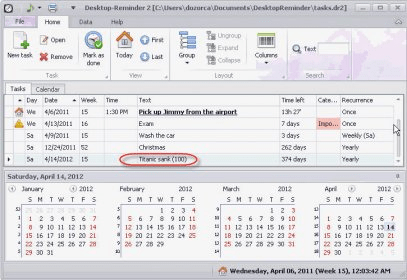
- completely new user interface with ribbon in MS Office 2010 style
- Date Navigator (small calendar) for the task list even in the FREE version
- Docking functionality for the Date Navigator
- Task summary as a balloon in system tray
- New columns "Week of year", "Year" and "Month" in the task list
- Task grouping by status, year, month, week in the PRO version

What's new in version 1.2

Automatic Updates.
Report a wrong version Report a wrong program title Suggest a correction

Screenshots

Main window Main window Main screen Main screen Main Window Main Window Main Window Main Window
All 6 screenshots

Latest comments


There are no comments, be the first one!
Add new comment

E-mail Address:

Password:

Register now »

Forgot password?

Sign in with:
Facebook Account
Download Software Informer Client
Copyright © 2012, Informer Technologies, Inc. About| Terms & Privacy| FAQ| Feedback & Support| For Developers